- Driver Overview
- Individual Driver Dashboard page
- Score and Trends
- Comments
- Segmentation
- Question Favourability
Driver overview
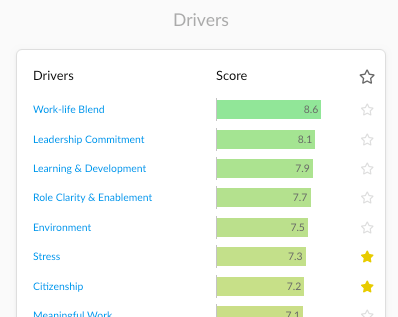
From the Overview page you can see a list of the Drivers of engagement. This dynamic list sorts drivers by score from high to low and gives you an indication of which drivers are performing better compared to others drivers.
Clicking on a driver will open their respective dashboards.
Individual Driver Dashboard Page
The Driver dashboard is where you can gain insights on driver-specific trends, segmentation and comments.
In the below examples, we will be looking at the Learning & Development driver.
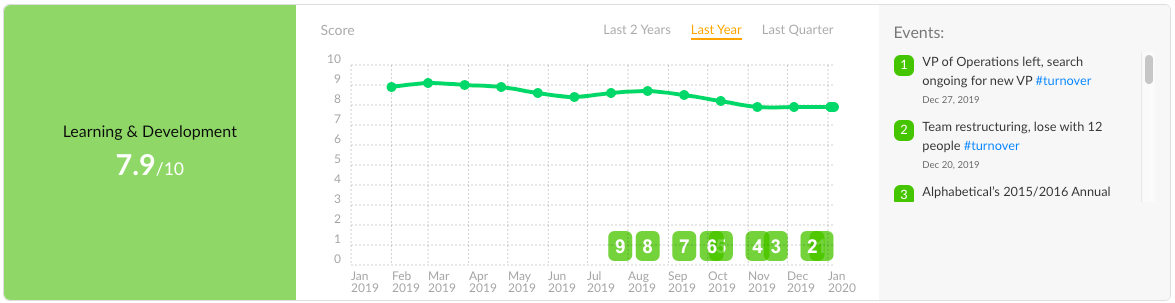
Viewing Driver Score and Trends
At the top of the driver dashboard, you can see the score for the driver. You can also how it is trending over time and whether any events affect these changes.
Viewing Driver Comments
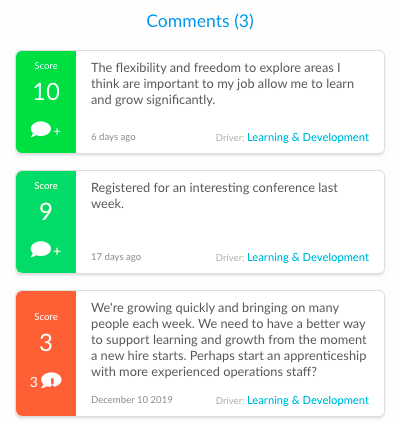
The driver page shows comments relating only to this driver. You can also start a conversation directly from the driver dashboard. Alternatively, you can view the filter comments by driver in the Comments page.
Viewing Scores by Segment
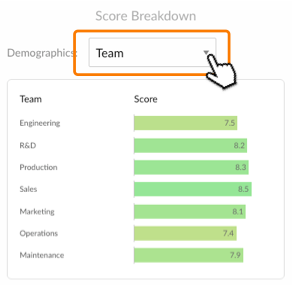
Using the drop down menu in the “Score Breakdown” section, you can view scores by your selected segment. For a deeper dive into segmentation analysis check out the Heatmap.
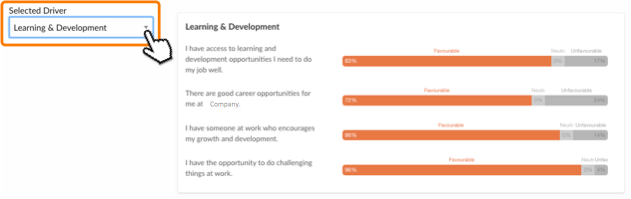
Viewing Question Favourability
By clicking on the Questions tab in the navigation bar, you can see the favourability percentages for questions relating to this driver. Percentages are shown for aggregate Favourable, Neutral and Unfavourable results.